Life Calendar Wallpaper: Free Download vs One That Updates Itself
You can download a life calendar in about a minute. It will be wrong by next Monday. Here is the difference, and where to get either.
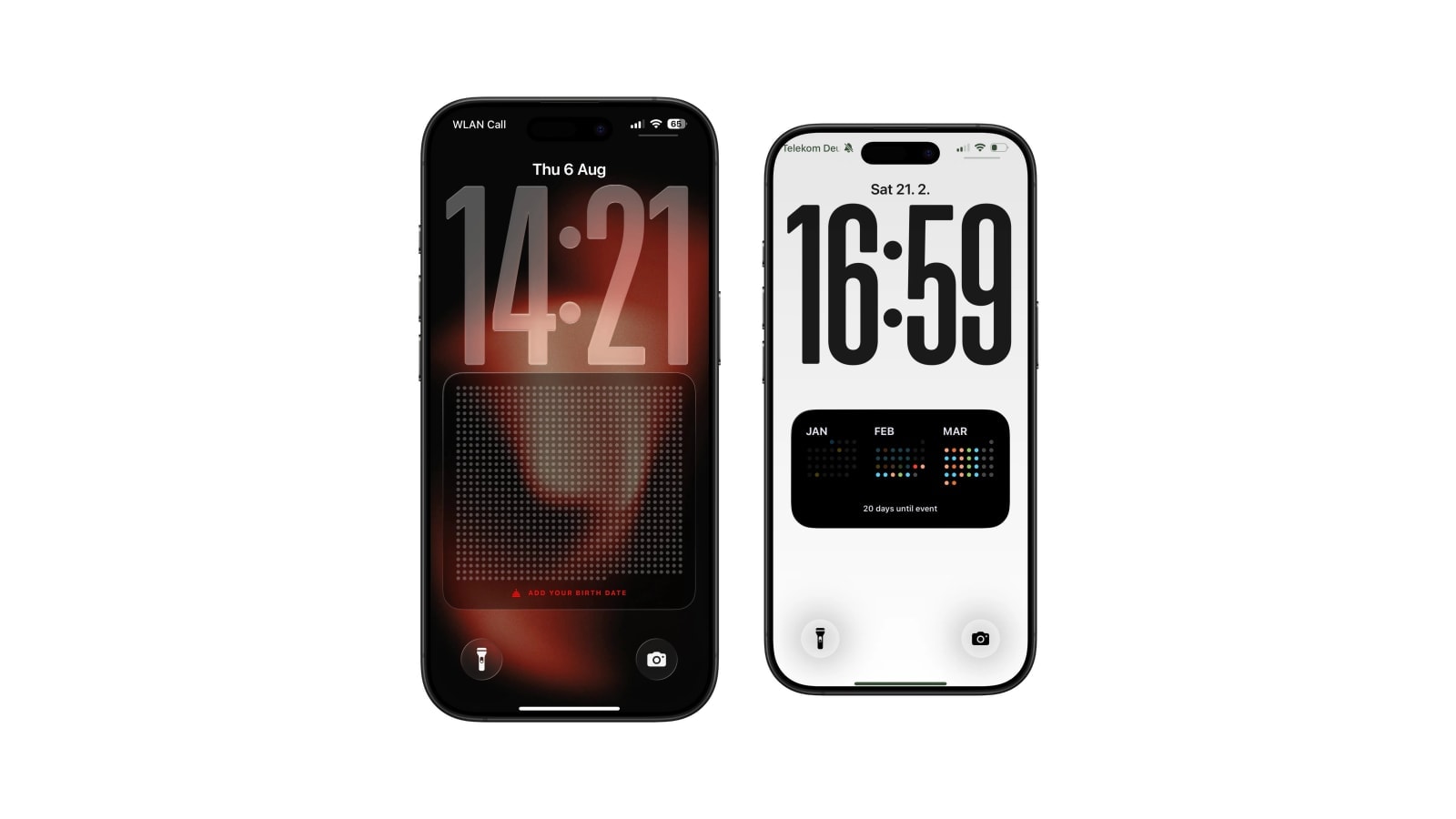
A free life-calendar download is a blank grid, usually 80 or 90 years, that you print, fill in by hand, or set as a static wallpaper. It costs nothing, requires no app, and knows nothing about you, which means the current-week marker is a job you inherit.
A generated version does the counting instead. It reads your birth date on the phone, fills the elapsed weeks, marks now, and refreshes on a schedule. That needs an app and, for automatic changes, a Shortcuts automation.
Pick a download if you want to own a file and write on it. Pick a generated one if the point is to notice which week you are in without maintaining anything.
What a static template gives you
- Nothing to set up
Save it, print it, or set it as a wallpaper. No account, no permissions, no automation.
- Room for a history
A large printed grid can hold colours, notes and marked dates. This is the one thing the digital versions genuinely cannot do.
- Complete control
It is a file. Keep it, archive it, reprint it in ten years.
- All the upkeep
You work out the current week and move the marker. Most people do this twice and then stop.
What a generated wallpaper gives you
Calendarly takes the birth date and the horizon, fills the elapsed weeks, marks the current one, and applies the result through Shortcuts. There is no counting, no editing, and no annual moment where you realise the marker has been in the wrong place since March.
The free set covers the life calendar layouts along with automatic updating, and what is included does shift between releases, so the App Store listing and the app itself are the reliable answer rather than any article. What does not change is the shape of the thing: it is a wallpaper, it is not interactive, and it exists to be glanced at.
What separates a good template from a bad one
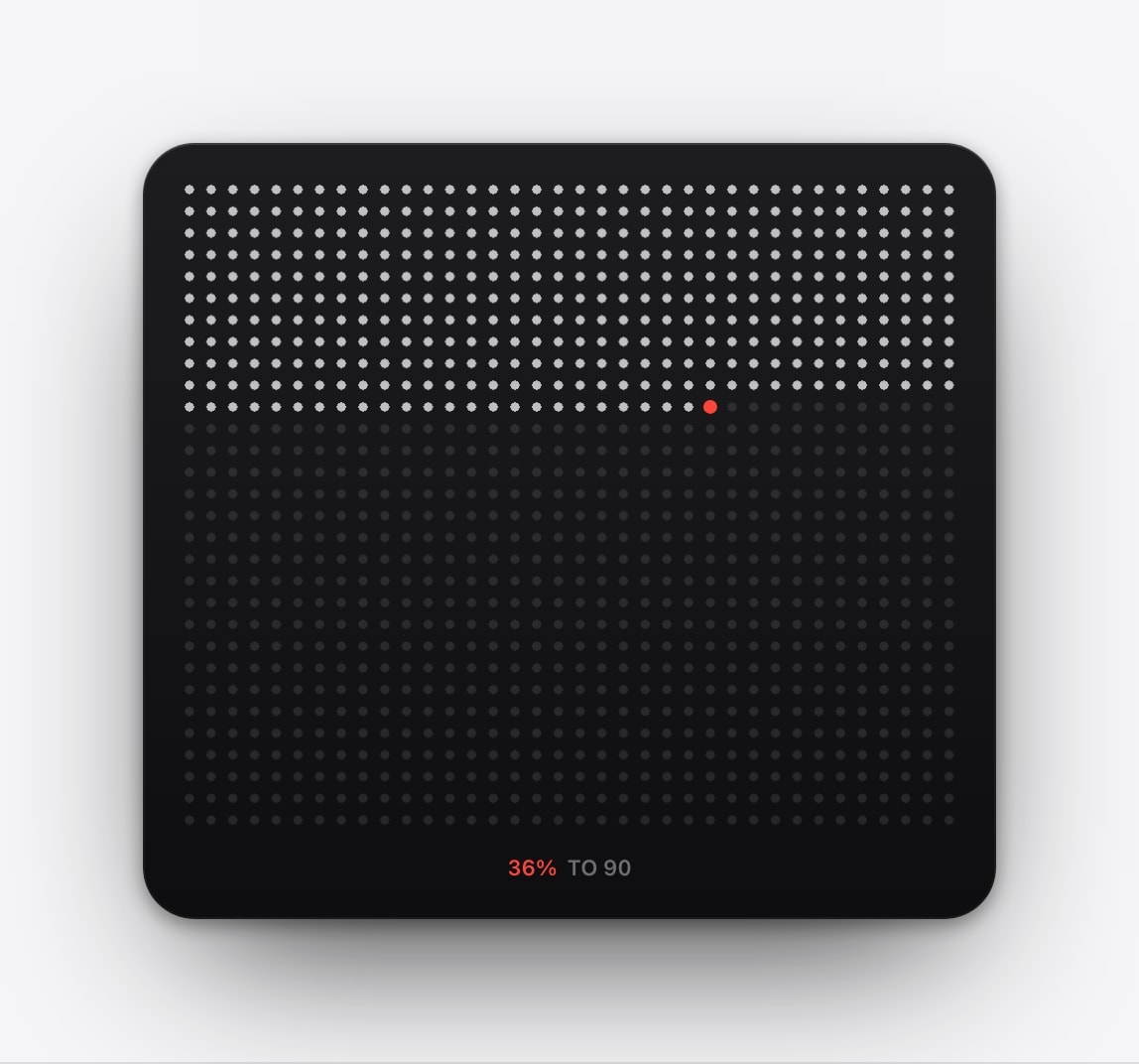
Most free grids look identical in a thumbnail and are not. The first thing to check is the row count and whether it is labelled, because a chart with ninety unnumbered rows is impossible to navigate once you have filled a few hundred cells and are trying to work out which one is now.
The second is print size. A 90-by-52 grid on A4 gives each week about two millimetres of space, which is enough to shade and not enough to write in, so if annotation is the plan you want A2 or larger and a file with the resolution to survive it. Check that the download is a vector file or a high-resolution image rather than a screenshot somebody rehosted.
The third is the wording on the last row. A template that labels it as a chosen horizon is telling the truth; one that labels it as anything resembling an end date is both inaccurate and a strange thing to hang on a wall.
Choosing without pretending they are the same thing
They solve different problems and there is no reason to treat one as the cheap version of the other. A printed grid is a document you build over years. A generated wallpaper is a glance you never have to maintain. Plenty of people end up with both, and the paper one is usually the one they would rescue from a fire.
Manual, tangible, and worth keeping. Its value grows the longer you have it.
Automatic and compact, designed for a recurring glance rather than for annotation.
Free to look at is not free to reuse. Check the licence before removing somebody’s branding, reselling a template, or republishing a design as your own.
Questions people ask
Tim Urban’s Wait But Why site is the origin of the modern version and offers poster options; many other sites publish templates under varying licences. Calendarly includes life-calendar layouts in its free set.
No. A static file cannot calculate anything or move the current-week marker.
Yes, when an app generates a new image and a Shortcuts automation applies it.
If you want to write notes or mark memories, yes. Print and phone are genuinely good at different things.
No. The target age is only the visual horizon.